
Searching Cases by Name
Match the search tool to the court level first. The County Clerk page points to iDocket for county court information. Its coverage runs from 1985 to the present. The current iDocket route asks you to sign in or register before it shows anything. District civil, criminal, family, and juvenile matters belong with the District Clerk. Pair that office with statewide tools where the case is integrated. Municipal and justice cases stay with their own clerks.
- Identify the court from the citation, notice, pleading, or case type.
- Enter the filed first and last name, with date of birth only when the official system asks for it.
- Narrow the result by court, case type, or date when those fields exist.
- Compare the result to the known case number and filing court.
- Confirm the match and request copies from the clerk that holds the file.
The County Clerk violation portal takes a specific name route. Its fields apply to that system alone, not to every Limestone County docket. See the official portal for the exact entry boxes it uses.
| Field | Type | Required combination | Format note |
|---|---|---|---|
| First name | Text | With last name and DOB | Use the filed name |
| Last name | Text | With first name and DOB | Check spelling |
| Date of birth | Date | With the name search | MM/DD/YYYY |
| Business name | Text | Separate business route | Use the filed business name |
Do not place real personal identifiers into examples or search another person's private identifiers.
Limestone County Search Decision Tree
Pick the channel that fits your goal. For a County Court date, open the County Court Dockets PDF index. Then confirm with the clerk. A County Court misdemeanor or county civil file starts with the County Clerk. District cases go to the District Clerk. A city citation belongs to the municipal clerk printed on the ticket. A justice case goes to its precinct clerk.
- County Court setting: dated PDF index and County Clerk
- County criminal, civil, probate, or guardianship: County Clerk and iDocket route
- District civil, criminal, family, or juvenile: District Clerk and eligible statewide tools
- Justice or municipal matter: the exact precinct or city clerk
- Land deed: CountyFusion, not a court case search
Federal cases skip the county entirely. Use PACER and the Western District of Texas, not a Limestone County clerk or any Texas portal.
Searching by Case Number
A case number beats a name for precision. But no single number pattern spans all Limestone County courts. Search with the exact identifier from the filed document. One example is the cause number printed on the notice. Keep the punctuation and the court-specific prefix included. If the search rejects the formatted version, ask the clerk about stripping spaces, dashes, or leading zeros. The County Clerk violation system gives you a direct Case Number field. The County Court docket PDF labels its identifier "Cause #." Those labels are local. Do not assume district, justice, and municipal systems match. Always name the court when you request a record by number.
Limestone iDocket Legacy Split
Want a clue about when Limestone cases last hit the docket? The legacy iDocket filed-county index tracks that. For Limestone County and District entries, it listed a last new case date. That date was March 2023. Read the fine print, though. The date marks when a brand-new case was filed. It does not mark when the latest document landed in an older case. Treat it as an audit trail hint, nothing more. It is not a live docket result. It also does not prove any migration happened on that day.
Curious what the display itself looks like? The official filed-county index shows the legacy date field for each county and court.
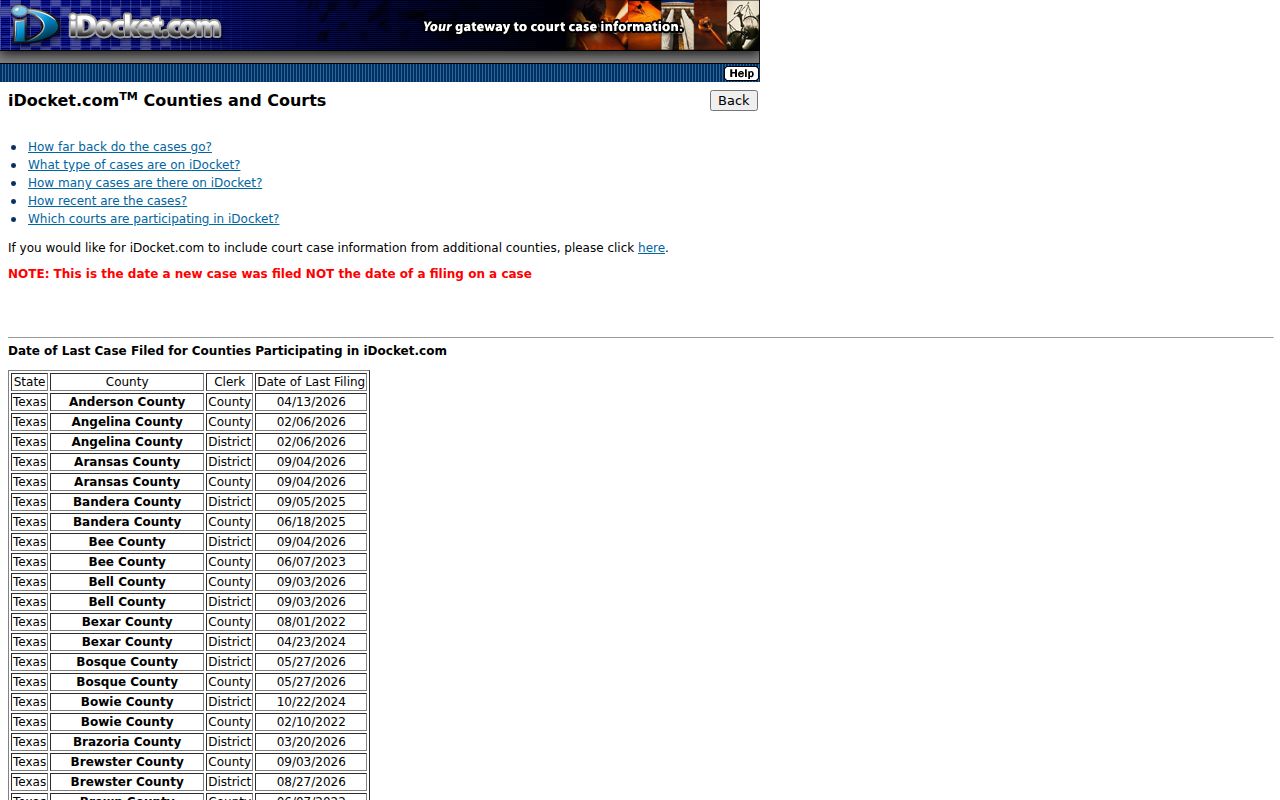
That date label explains a puzzle. An old index can look stale even while filings continued within existing cases. Meanwhile, the old simple-search endpoint now redirects to the current iDocket landing page. The current iDocket screen shows its account gate.

The screen offers user ID, password, registration, and sign-in controls. No open case fields appear without authentication.
What a Case Search Returns
A Limestone County result varies widely. It might be one calendar row, or it might be a fuller register. The County Court PDF shows a setting header. Its columns cover cause number, defendant, offense and degree, attorney, bondsman, and continuances. Statewide research systems can add parties, attorneys, case events, register-of-actions data, and documents. That applies when coverage and access allow. A payment page may show far less.
| Case or cause number | The identifier assigned by the filing court |
|---|---|
| Style or parties | The caption or public party roles, subject to restrictions |
| Case type | Criminal, civil, family, probate, traffic, or another court category |
| Filed date | The date the case began, distinct from later document filing dates |
| Events and settings | Hearings, filings, resets, and other docket entries |
| Status or disposition | The system's current case state, which should be verified with the clerk |
| Documents | Images or downloads only when the portal and access level provide them |
Read results with care. A docket charge is an allegation, not a finding of guilt, a setting is not always a trial date, and a blank attorney field can be stale.
Limestone Search Fields Differ
The County Clerk violation portal does more than name searches. It accepts case number. It also takes driver license with state and date of birth; SSN with date of birth; license plate with state; name with date of birth; and business name. Those fields belong to the Tyler payment and violation system. They do not describe the iDocket account screen or re:SearchTX. Use the least sensitive official field that reliably finds your own case. A payment confirmation is not a certified disposition. When you need a filed order or judgment, identify the document. Request it from the office that holds the record.
Field mismatch: If a portal asks for data that does not fit the case type, stop and verify that it belongs to the correct Limestone County court.
Statewide vs County Case Search
re:SearchTX is the statewide research layer. Registration, account type, pricing, county integration, and document access can all vary. The Texas Judicial Branch itself says it runs no universal trial-court search portal. For Limestone County registers and certified copies, local clerks remain the authoritative source.
| Channel | Coverage | Best use | Main limit |
|---|---|---|---|
| County Clerk and iDocket | County Court records described by the clerk | Known county case | Current iDocket account gate |
| District Clerk | District criminal, civil, family, juvenile | Authoritative local request | No captured open local register |
| re:SearchTX | Participating Texas court data | Supplemental statewide research | Account, price, and coverage vary |
| County Court PDFs | Dated County Court settings | Known date and hearing | Snapshots subject to change |
Check both the county route and the statewide one when a Limestone County docket search comes up dry. Whichever you use, confirm the court and the case number match before you rely on what you see. The re:SearchTX portal is the statewide service for court records.
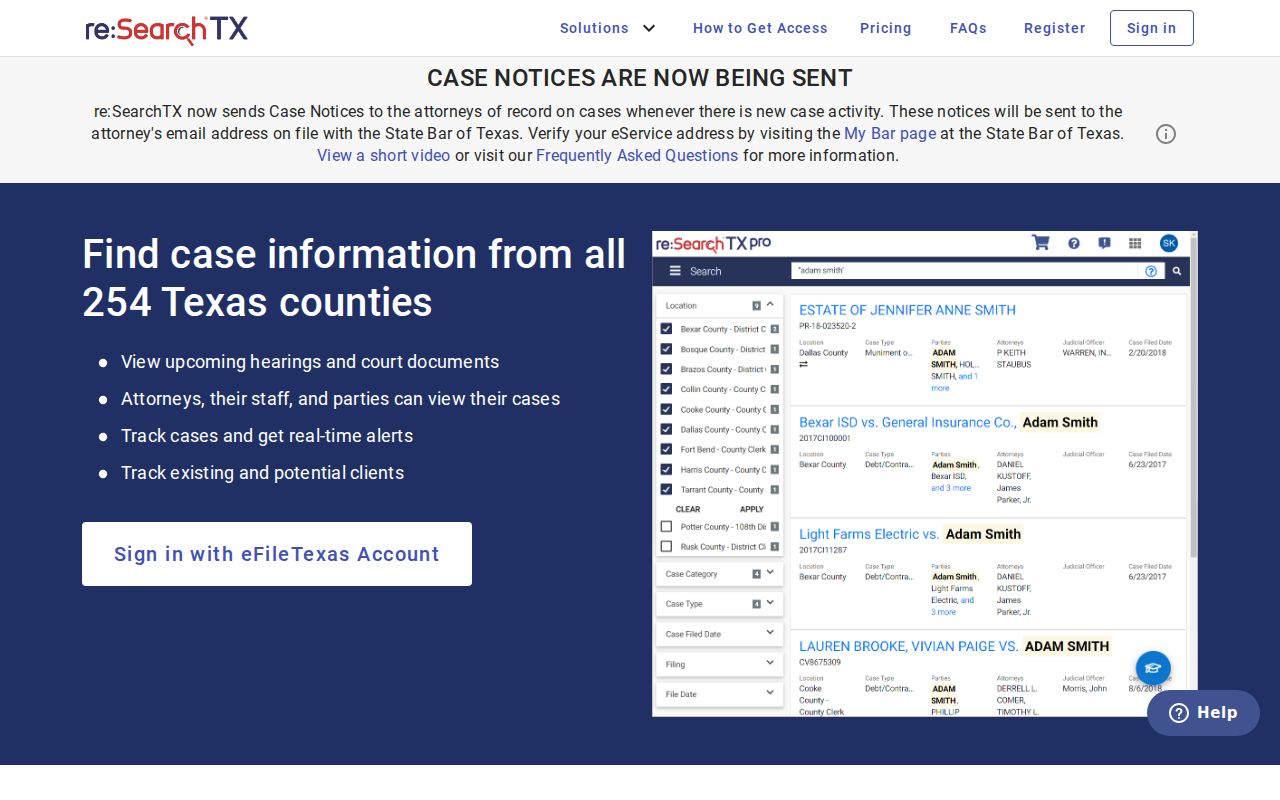
The statewide screen does not promise that every Limestone County record or document appears.
Limestone eFile Search Limited
E-filing in Limestone County comes with a catch. The eFileTexas active-courts table marks both civil and criminal e-filing here as mandatory. Civil search gets a different label: "Search Limited." Per the legend, limited search kicks in where a county lacks full integration, so a filer whose documents were accepted can still look up that case afterward. Do not mistake this for wide public access to the court docket. Filing a case and browsing everyone's filings are two very different things.
To check the county's standing yourself, the official participation table lists Limestone's current status.
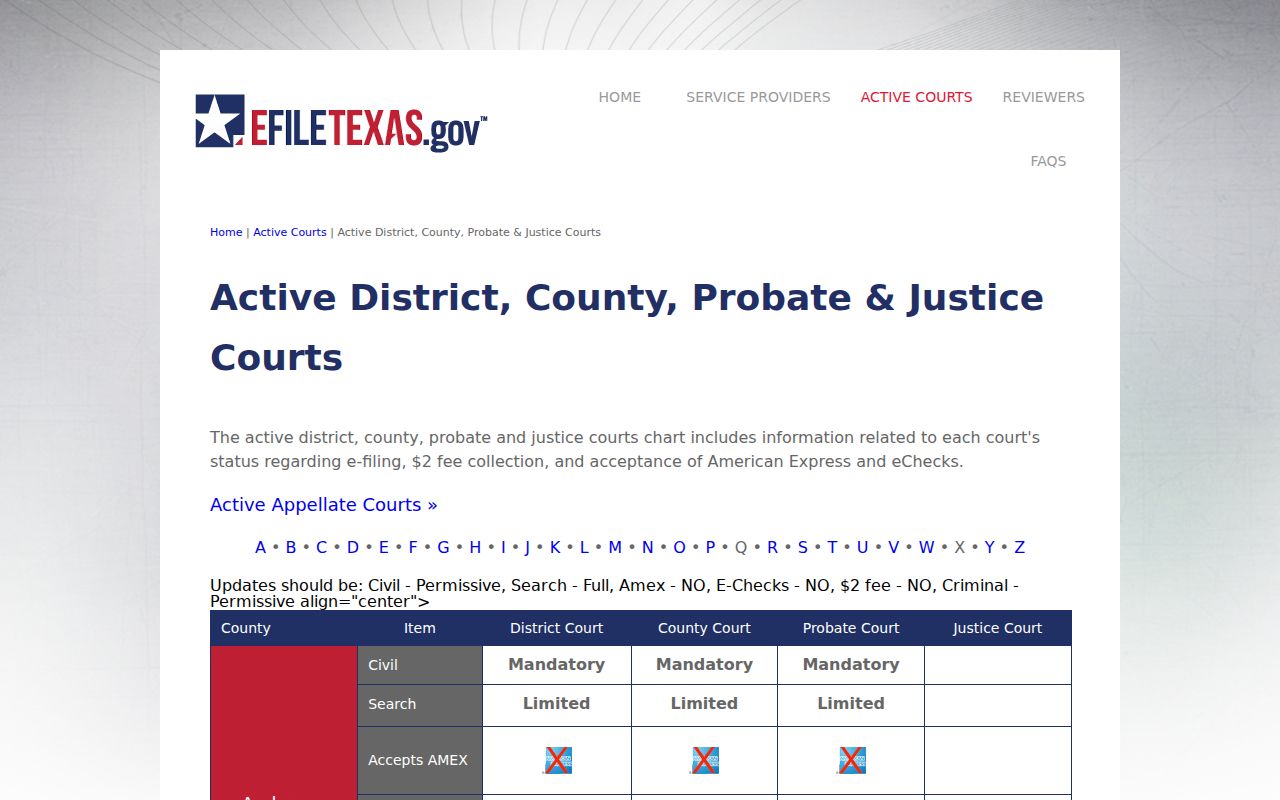
Limestone skips the table's two-dollar e-filing transaction fee, according to the listing. That fee only applies to e-filing. It has nothing to do with court-record copies or portal research charges.
Access and Restricted Cases
Plenty of Limestone County cases never show up online. Juvenile records can stay confidential under Texas Family Code Chapter 58. Civil files may be sealed under the Texas Rules of Civil Procedure. Expunction under Code of Criminal Procedure Chapter 55 is its own legal process. Restricted portions also appear in family, child-protection, guardianship, mental-health, and identifier-heavy files. A portal can hide the documents but still display a case shell. It can also show nothing at all when the file sits outside its integration. A blank screen proves nothing about sealing, expunction, closure, or existence. Call the clerk instead. Ask whether a redacted copy, an inspection, or another request process works for your court records.
Access boundary: Texas Judicial Branch guidance directs trial-court case requests to the local district, county, justice, or municipal clerk.
Limestone Failed Search Checks
Most failed searches start in the wrong collection. A municipal citation will never surface in a County Court settings PDF. A land deed lives in CountyFusion, not iDocket. District family cases have no business on a county misdemeanor payment page. A vendor receipt is never a certified disposition. Those mismatches doom a Limestone County docket search before it starts. When nothing matches, work through the basics: spelling, number format, court, and case type. Then reach the right clerk by phone, counter, mail, or written electronic contact. Give the known date range and ask for the docket or a named filing. For hearing dates, confirm directly, since published settings can change.
Note: Search the court named on the document first. Then widen to a Limestone County system.